Leave Your Message

How to Choose the Best Video Intercom for Home?

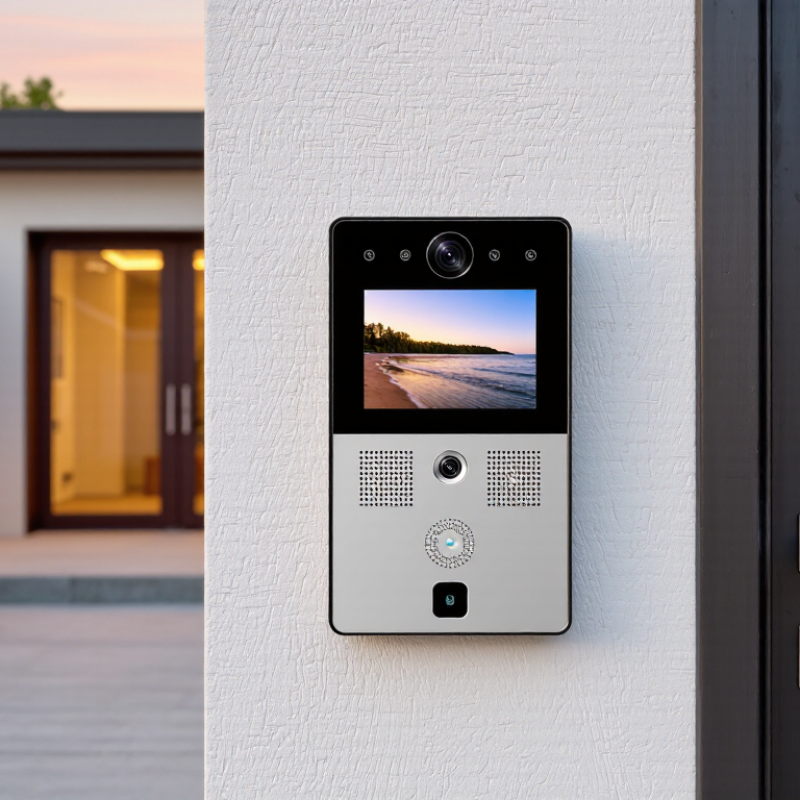
Choosing a Video Intercom For Home is about more than seeing who rings the bell. The right system should fit your entrance, household routines, and network—not just look impressive on a product page. A bright screen is useful, but clear night vision matters when the porch light is dim. So does audio that remains understandable through a closed door.

Security technologist Bruce Schneier offers a useful reminder: “Security is a process, not a product.” That idea applies to home intercoms, too. Consider who can access the app, how recordings are stored, and whether the device receives software updates. Check installation requirements before buying; a wired model may need existing cables, while a wireless unit still depends on a reliable signal. Small details matter.

There is no perfect choice. A feature-rich system can feel cumbersome, and an affordable model may lack a feature your family later needs. That is worth admitting. This guide will compare video quality, two-way audio, connectivity, privacy controls, installation, and ongoing costs. It will also help you weigh practical trade-offs for apartments, houses, and different entry layouts. The goal is not to buy the most advanced intercom, but to choose one you can use confidently every day.
How to Choose the Best Video Intercom for Home?

Define Entry Needs: Video, Two-Way Audio, and Remote Door Release

Before choosing a video intercom, note who uses the entrance and what they need to see. A camera facing a shaded porch may need stronger low-light performance than one aimed at a bright courtyard. Check whether its view captures a visitor’s face without including too much of the street. A crisp picture is not everything. Confirm that the image remains clear on the phone or indoor screen you plan to use, since display quality and network strength can affect what you actually see.

Two-way audio should make short conversations easy, even when a delivery person stands near a busy road. Listen for echo, delay, and unclear speech; a brief test at the doorway can reveal problems that product descriptions may not mention. Remote door release is useful when you want to admit a guest without walking to the entrance. Yet it is not essential for every household. Consider who can unlock the door, how permissions are managed, and what happens during a power or internet outage. Check that the intercom works with your existing lock before buying. It is easy to focus on convenience and overlook this detail. Verify the wiring and installation requirements in the device documentation, or ask a qualified installer when compatibility is unclear.
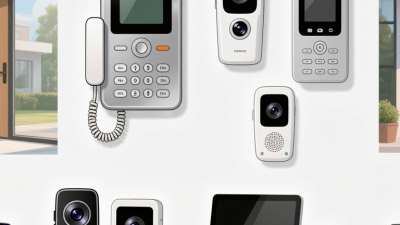
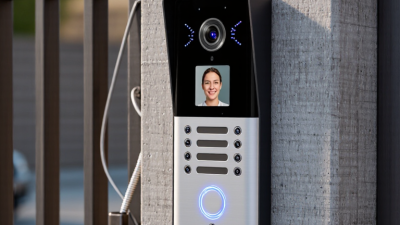
How to Choose the Best Video Intercom for Home

Define your entry needs: video, two-way audio, and remote door release.

Illustrative planning checklist, not survey data. A value of 1 means the function is included in that example setup. Remote release requires a compatible electric lock or gate operator; actual needs depend on your entry points.

Set Image Requirements: 1080p Equals 1,920 × 1,080 Pixels

Set image requirements before comparing features. For a home video intercom, 1080p means an image 1,920 pixels wide and 1,080 pixels high. That equals 2,073,600 pixels per frame. ITU-R Recommendation BT.709-6 specifies the 1920 × 1080 HDTV format, and SMPTE ST 274 describes 1080-line image formats. These standards provide a clear resolution baseline, not a promise of sharp doorstep footage. Pixel count is only part of the picture.

Check the view from the actual mounting position. A visitor’s face may look clear in daylight but lose detail beneath a porch roof or against a bright window. Lens quality, sensor performance, lighting, and video compression all affect what those pixels reveal. Look for sample footage captured in similar conditions, and check whether the stated resolution describes the recorded image or only the camera sensor. Small distinction. It matters.

A practical test is to view a person at the far edge of the entryway, then inspect facial details on the screen you will use most. If the image looks soft, a higher resolution alone may not fix it; poor lighting or a wide field of view can spread detail across more of the frame. Be realistic. I would treat 1080p as a sensible starting point, then judge the actual image before deciding.

Verify Connectivity: Confirm Compatibility with 2.4 GHz or 5 GHz Wi-Fi

Before choosing a video intercom, check its exact Wi-Fi requirements. Some models connect only to 2.4 GHz networks; others support both 2.4 GHz and 5 GHz. A dual-band router does not guarantee compatibility. Read the device specifications, and check whether setup requires separate network names for each band.

The two bands behave differently. A 2.4 GHz signal generally reaches farther and handles walls better, while 5 GHz can offer faster data transfer over shorter distances. A front door may be several rooms away from the router. Test the signal at the planned mounting spot, not beside the router. Concrete walls, metal doors, and nearby appliances can weaken or disrupt the connection. Small details matter.

Check the intercom’s signal strength during setup, then test live video, alerts, and two-way audio. A picture that loads once is not proof of a stable connection. Mesh systems and automatic band switching can sometimes complicate setup, so follow the device’s instructions. If the signal drops, try adjusting the router or adding a compatible access point. I would not assume a stronger-looking Wi-Fi icon means clearer conversations; real door-side testing can be a little inconvenient, but it reveals problems early.

Rate Weather Protection: IP65 Means Dust-Tight and Water-Jet Resistant

When choosing a video intercom, check its weather rating before judging the screen or camera. IP65 means the enclosure is dust-tight, while its water rating protects against water jets from any direction under specified test conditions. It is useful for exposed entrances that face windblown dust or heavy rain. But IP65 does not mean the unit can be submerged. Small detail, big consequence.

Tips: Check the installation guide for cable-entry and sealing instructions. A loose cover or poorly sealed wall opening can let moisture reach sensitive parts, even when the device itself carries an IP65 rating. If possible, mount it where roof overhangs reduce direct exposure. Keep drainage paths clear, too.

Think about the actual spot, not just the number on the box. A porch facing driving rain may need more careful placement than a sheltered doorway. Temperature changes, sunlight, and condensation can also affect long-term performance. An IP rating is based on controlled tests; it cannot promise trouble-free operation in every home. I would not rely on the rating alone. Check the warranty terms and look for clear guidance on outdoor installation and maintenance.

How to Choose the Best Video Intercom for Home? — Rate Weather Protection: IP65 Means Dust-Tight and Water-Jet Resistant

Protection rating Dust protection Water protection What it may mean for a home intercom Checks before choosing
IP44 Protected against solid objects 1 mm and larger; not dust-tight. Protected against splashing water from any direction. May suit a sheltered entrance, subject to the manufacturer’s installation instructions. Check how exposed the mounting location is to rain, wind-blown dust, and direct spray.
IP54 Dust-protected; some dust may enter, but not enough to interfere with operation under the test conditions. Protected against water splashes from any direction. Offers more dust protection than IP44, but is not rated for water jets. Do not treat “dust-protected” as equivalent to dust-tight.
IP65 Dust-tight under the applicable test conditions. Protected against water jets from any direction under the applicable test conditions. A practical rating to consider for an exposed entrance where dust and rain or water jets are concerns. IP65 does not mean the device can be immersed in water. Confirm installation requirements and cable-entry sealing.
IP66 Dust-tight under the applicable test conditions. Protected against powerful water jets from any direction under the applicable test conditions. May be worth considering where stronger water jets are a realistic exposure. A higher water-jet rating does not establish suitability for immersion or every outdoor condition.
IP67 Dust-tight under the applicable test conditions. Protected against temporary immersion in water under specified test conditions. Can be relevant where temporary immersion is a specific risk, but it is not automatically a better choice for every exposed wall installation. Check the manufacturer’s stated immersion conditions; IP67 alone does not describe protection against water jets.
IP68 Dust-tight under the applicable test conditions. Protected against continuous immersion under conditions specified by the manufacturer. Usually relevant only when continuous immersion is a defined requirement. The depth and duration are manufacturer-specified; do not assume they are the same for all IP68 devices.

Selection note: For an outdoor video intercom, IP65 is a useful baseline to consider when dust-tight protection and resistance to water jets are needed. The IP code describes enclosure protection under specified tests; it does not by itself confirm UV resistance, operating-temperature range, corrosion resistance, or correct protection after installation. Check the device documentation and mounting instructions for those details.

Review Power, Storage, and Privacy; Verify AES-256 and TLS 1.2 Claims

Choosing a video intercom starts with the details you notice during an ordinary day. Check whether it uses household wiring, a rechargeable battery, or both. A battery model may keep working during an outage, but frequent motion alerts can drain it faster than expected. Ask how long stored clips remain available and whether local storage works without a subscription. Small print matters.

Treat AES-256 and TLS 1.2 as claims to verify, not proof of complete security. AES-256 may protect stored recordings, while TLS 1.2 can protect data moving between the intercom and its app. Those protections depend on correct implementation, secure account settings, and timely software updates. Read closely. Look for clear documentation naming what is encrypted, where keys are managed, and whether older connection methods can be disabled. If support cannot explain these basics plainly, pause.

Privacy also depends on everyday controls. Check whether you can set recording zones, mute the microphone, delete clips, and limit access for household members. A camera that records a shared walkway all day may collect more than you need. Even so, it is easy to overvalue encryption labels and overlook retention settings. Review the settings before installation, then revisit them after a week of real use.