Choosing an Interphone With Camera system in 2026 means looking beyond a sharp image. The right model should show a clear face in the evening, let you hear visitors over street noise, and send alerts without constant false alarms. Some systems connect to indoor monitors; others rely on a phone app. That difference matters when your Wi-Fi drops or your hands are full.
Privacy deserves attention, too. Dr. Ann Cavoukian, a privacy expert and former Information and Privacy Commissioner of Ontario, has said: “Privacy is not about having something to hide. Privacy is about having the right to control what you want to reveal, and when, and how.” Her point is useful when comparing cloud storage, recording settings, and access permissions. Check what each system stores and who can view it.
This guide compares ten systems using practical details: video quality, night vision, two-way audio, installation needs, and ongoing costs. A bright product photo cannot tell you whether a camera handles backlighting at a front door. Nor does a long feature list guarantee a reliable alert. Small details count. We also recognize a limitation: performance depends on placement, wiring, network strength, and the building itself. No single model fits every entrance. Use these picks as a starting point, then check compatibility and current specifications before buying.
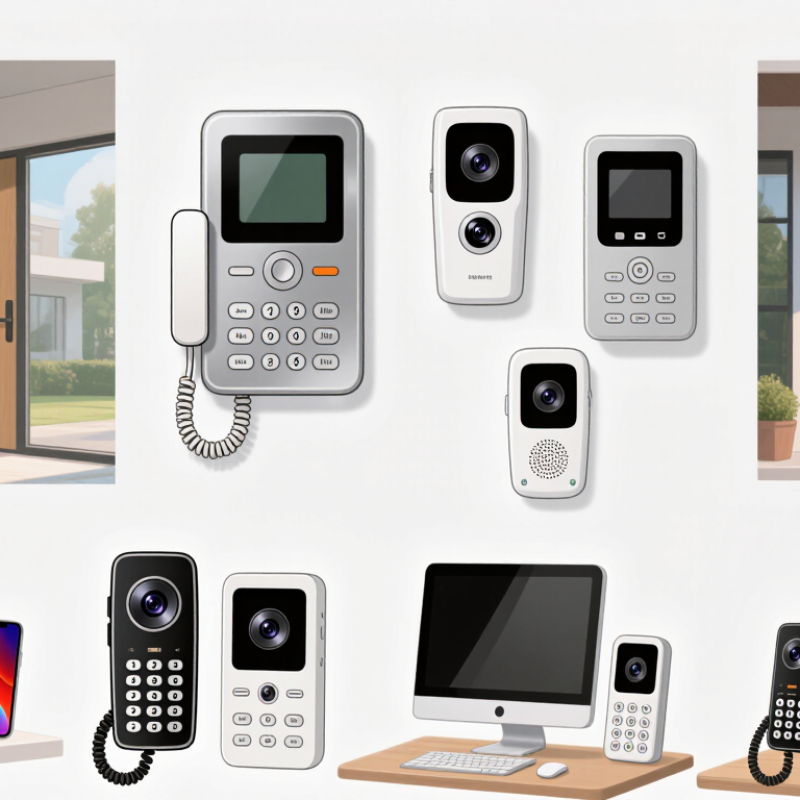
10 Best Interphone With Camera Systems in 2026
How Camera Interphone Systems Work
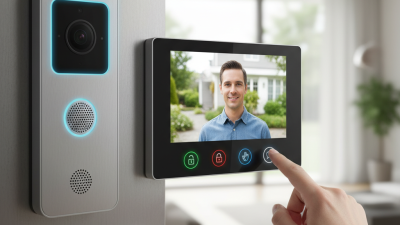
A camera interphone combines a door-side camera, microphone, speaker, and indoor receiver. When someone presses the call button, the system sends a live video and audio feed to a monitor or compatible phone. You can see the visitor, speak through the speaker, and, on some systems, release a connected door latch. The image may appear within seconds, though network delays can happen.
The camera captures the entry area, while infrared lighting may help it show visitors after dark. A wired model usually draws power and sends data through cables. A wireless model may use Wi-Fi, but needs a dependable signal near the door. In practice, a thick wall or a busy router can interrupt a conversation. That matters. Storage options also differ: some systems save clips locally, while others use remote services. Check how recordings are accessed and protected before choosing.
Tips: Test the camera from the height and angle where it will be installed. Make sure faces are visible, not just hats or the top of a head. Try the interphone during busy Wi-Fi hours, too. I would not assume every feature works equally well in every home; even a clear daytime image can become grainy at night.
Comparing common video resolutions by approximate image size in megapixels.
Megapixels are calculated from each format’s pixel dimensions. These are standard video formats, not product ratings; actual interphone camera specifications vary.
When comparing interphone camera systems in 2026, look beyond headline resolution. A 2K image can still miss a visitor’s face if the lens points too high or the porch light creates glare. Check the vertical viewing angle, night performance, and whether the camera captures a clear image at arm’s length. Test the live-view delay, too. A few seconds can make a conversation awkward. Storage matters: confirm how long clips remain available, whether local recording works without internet, and what ongoing fees apply.
Treat account security as a core feature, not a bonus. The 2024 Data Breach Investigations Report found that 68% of breaches involved a non-malicious human element, underscoring the value of strong login protections and clear account controls. Look for multi-factor authentication, individual household accounts, and straightforward ways to remove access. Check the device’s weather rating and operating-temperature range against your entryway; a covered porch and an exposed gate are different environments. Ask how long software updates are expected. Specs rarely make that answer obvious. And don’t assume motion alerts are accurate: passing headlights, swaying branches, or a delivery left at the edge of the frame can trigger unwanted notifications.
Ten leading interphone systems with cameras are easier to compare by installation and daily use than by camera claims alone. A wired single-home unit suits a fixed entrance and steady power. A multi-apartment wired system can route calls to separate indoor monitors. A PoE network system carries power and data over one cable. A Wi-Fi model may simplify installation, but weak signal can cause delays. An app-linked system sends calls to a phone, though notifications may arrive late.
Other useful options include a keypad camera interphone for coded entry, and an RFID-enabled model for quick credential checks. A touchscreen directory helps visitors find apartment numbers. An infrared low-light system can show faces after dusk, but lighting and camera angle still matter. A local-storage system keeps recordings on site; check capacity and retention settings before relying on it. These are system types, not a verified ranking of specific products.
Look closely at the view from the actual doorway. A wide lens may capture the path, yet distort faces near the edges. Ask who can view recordings and how the device handles outages. That matters. I would not choose on resolution alone; installation quality and clear two-way audio can matter more. One detail is easy to miss: test the chime from inside the noisiest room.
Installation and connectivity determine whether a camera interphone feels dependable or frustrating. Before buying, check the door station’s power needs, existing chime wiring, and available mounting depth. A narrow masonry entry may need a surface mount, while an older transformer may not supply enough power. Measure twice. For networked systems, compare Wi-Fi, Ethernet, or Power over Ethernet options with the actual route to your router.
Compatibility deserves equal attention. Confirm support for your building’s indoor monitor, mobile app, and any existing access-control equipment. Some systems use proprietary connections, so matching wire colors does not guarantee compatibility. The FCC’s 2024 broadband report estimated that 24 million Americans lacked access to fixed broadband at 100/20 Mbps. That figure is a useful reminder: test your connection at the entrance, not just beside the router. Video quality and alerts can suffer where signal or upload capacity is weak. Still, paper specifications can mislead; walls and interference change real-world performance.
Tips: Test the signal with the door closed. Check nighttime footage, microphone clarity, and alert delay. Ask an installer to verify voltage and network reach before drilling; that extra check may save a second visit.
10 Best Interphone With Camera Systems in 2026
Choosing a System for Your Property
Choose for the property, not the feature list. A gate 30 metres from the house needs different coverage from an apartment entrance. Check the camera’s night view, field of vision, weather rating, and how clearly it captures visitors’ faces. The FBI’s 2023 Crime Data Explorer reported 1,117,696 burglary offenses, down 7.6% from 2022. That figure describes reported crime; it does not show that an interphone prevents it. Keep that distinction in mind.
Connection and data handling matter, too. NISTIR 8259A outlines six baseline IoT security capabilities, including access control, data protection, and software updates. Ask whether the system receives updates and lets you restrict who can view recordings. Compare local storage with cloud storage, including fees and what happens during an internet outage. Test the live image at dusk, not just at noon. Small details can disappoint.
Tips: Stand where visitors will stand and check the image on your phone. Measure the cable route, Wi-Fi strength, and distance to the entry. Save a little time for setup; it rarely goes perfectly.
These are ten common system types rather than brand-specific products. Features and compatibility vary by model, so confirm requirements with the product specifications before buying.
| System type | Best for | Connection | Typical video and access features | Main advantage | Consider before choosing |
|---|---|---|---|---|---|
| 1. Wired single-family video intercom | Houses with an existing doorbell or intercom wire | Low-voltage wiring; some models also use Wi-Fi | Live visitor video, two-way audio, indoor monitor or app; recording depends on model | Avoids routine battery charging at the entrance | Check existing transformer, wiring, and installation compatibility |
| 2. Battery-powered smart video door intercom | Rentals or entrances without usable wiring | Wi-Fi; rechargeable or replaceable battery | App-based live view, motion alerts, two-way talk; recording options vary | Usually simpler to install than a fully wired system | Battery life depends on activity, settings, weather, and signal strength |
| 3. PoE video intercom | New builds and properties with structured network cabling | Ethernet cable with Power over Ethernet, where supported | Network video, two-way audio, and possible integration with compatible recording or access systems | One cable can carry data and power to the intercom | Requires compatible PoE equipment and network installation |
| 4. Two-wire retrofit video intercom | Replacing older intercoms where existing cable routes should be reused | Dedicated two-wire bus; system-specific wiring requirements | Door-station camera, indoor monitor, and remote door release on compatible systems | Can reduce the need to run new cable through finished walls | Existing wiring and equipment must match the chosen system |
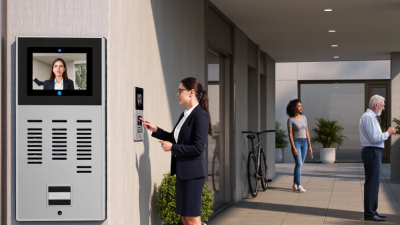
| 5. Multi-apartment video intercom | Apartment buildings with multiple residents and entrances | Wired building network or dedicated intercom cabling | Shared entrance camera, resident directory, apartment calling, and controlled door release | Designed to route visitors to individual units | Plan for directory management, privacy, and building-wide installation |
| 6. SIP or IP video intercom | Offices and properties with an existing IP communications network | Ethernet or supported IP network connection | Video calling to compatible phones, monitors, or software; access control varies | May fit into an existing voice or building communications setup | Confirm SIP compatibility, network security, and support requirements |
| 7. Gate-to-house long-range intercom | Homes or sites with a gate separated from the main building | Buried cable, Ethernet, or a supported wireless bridge | Gate-side camera, two-way communication, and compatible gate-release control | Lets occupants identify and speak with visitors before opening the gate | Distance, obstructions, power, and outdoor conditions affect installation choices |
| 8. Multi-entrance video intercom | Properties with several pedestrian or service entrances | Wired or IP network, depending on system design | Multiple door stations linked to one or more indoor monitors or apps | Centralizes visitor communication across entrances | Check the supported number of stations and how calls are routed |
| 9. Video intercom with local recorder | Users who prefer on-site video storage where supported | Wired or IP connection to compatible local storage | Live video and event recording; storage duration depends on capacity and settings | Can keep recordings on local equipment rather than relying only on a cloud service | Review retention, access permissions, backup, and privacy requirements |
| 10. Video intercom with smart-lock integration | Homes seeking visitor video and connected door access | Wi-Fi, wired connection, or a supported smart-home protocol | Visitor calls and remote unlocking when the intercom and lock are compatible | Combines visitor communication with convenient entry management | Verify lock compatibility, fail-safe or fail-secure behavior, and internet dependence |