Leave Your Message

What Is the Best IP Door Entry System in 2026?

Choosing the best Ip Door Entry System in 2026 is less about finding the flashiest screen and more about matching the system to the building. A quiet townhouse needs different features from a busy apartment lobby. Look closely at video clarity, call handling, mobile access, visitor codes, and how the system behaves when the internet drops. Small details matter.

Security technologist Bruce Schneier’s reminder, “Security is a process, not a product,” offers a useful lens for evaluating door entry systems. A polished app cannot compensate for weak account controls or neglected software updates. Check whether the manufacturer documents support periods, encryption practices, and update procedures. Ask who can add users, revoke credentials, and review access events. Those answers matter long after installation day.

This guide compares the practical strengths and trade-offs of leading options, including wired and wireless designs. It considers installation demands, compatibility with existing locks, accessibility, privacy controls, and ongoing costs. A system that works smoothly for one property may frustrate another; that is easy to overlook in product listings. There is no perfect fit. The best choice should make entry simple for residents while giving managers clear, dependable controls. We’ll also note where specifications leave unanswered questions, because a missing detail can matter as much as a headline feature.
What Is the Best IP Door Entry System in 2026?

What an IP Door Entry System Is

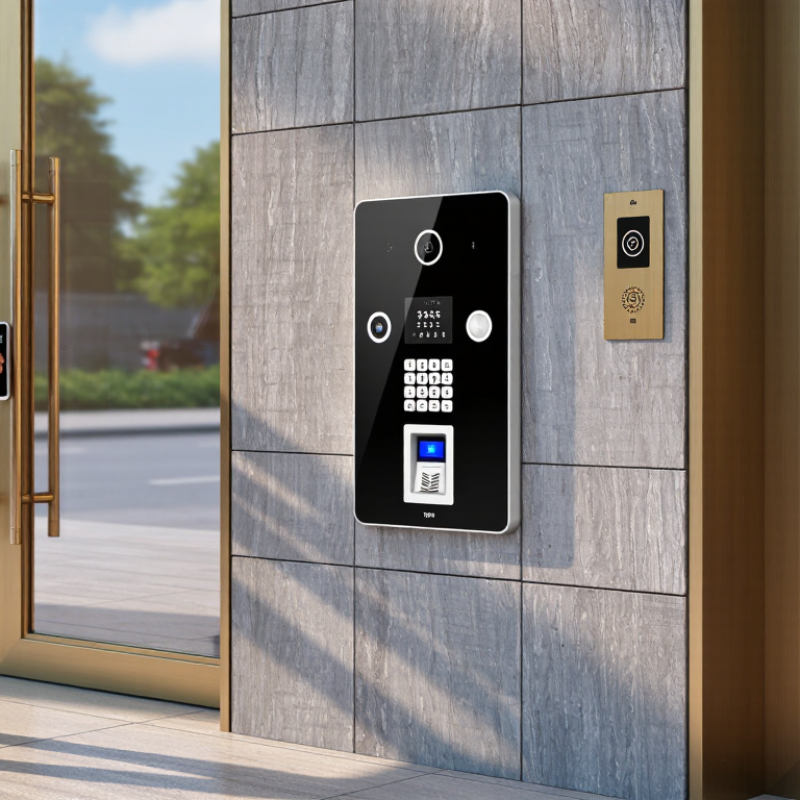
An IP door entry system connects a building’s entrance to its data network. A visitor presses a call button, and the system sends audio or video to an indoor monitor, desk phone, or approved mobile device. The resident or staff member can speak with the visitor and release the door remotely, if the system and lock support that function. Some installations also record events or manage access credentials. It sounds simple. The parts matter.

A typical setup includes an outdoor station, an indoor answering device, network cabling or a reliable wireless link, and compatible door hardware. At a small office, a visitor might appear on a screen beside reception while an employee checks the camera view before opening the entrance. Image quality, sound clarity, response time, and power backup all affect daily use. The network is easy to underestimate. Congestion or a weak connection can make calls lag, even when the equipment itself works properly.

For a real installation, check who can answer calls, how credentials are managed, and what happens during a power or network outage. A polished screen does not guarantee an easy experience; staff may find menus confusing, or residents may miss calls. I would test the system at the actual doorway, in changing light and ordinary background noise, before choosing a setup.
How IP Door Entry Systems Work

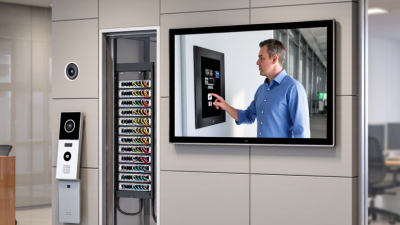
An IP door entry system turns a doorway into a network endpoint. A visitor presses the outdoor call button; a camera and microphone capture video and sound. The station converts them into digital packets and sends them across a local network. A monitor or phone receives the call, so residents can speak and view the entrance. Small details matter: a clear camera angle, usable audio, and a stable network connection.

When a resident answers, the system may use a local monitor, an app, or both. ITU’s Facts and Figures 2023 report estimates that 5.4 billion people were online, about 67% of the global population. That scale helps explain the appeal of remote answering, but an internet connection is not the whole system. Many installations can handle calls locally; remote access usually depends on internet service and configured network access. The door station can also connect to an access controller, which signals a relay to release the lock. Packets need paths. Power needs planning, too: some systems use Power over Ethernet, while others need separate wiring.

In practice, reliability often comes down to basics. A weak Wi-Fi signal behind concrete can delay video, and poor microphone placement can make a visitor sound distant. Wired connections are often steadier, though installation conditions vary. The weak point may not be the camera. It may be an overlooked switch, power supply, or network setting. Designers should test calls, audio, and door release at the actual entrance, not just at a desk.

Key Features That Shape System Performance

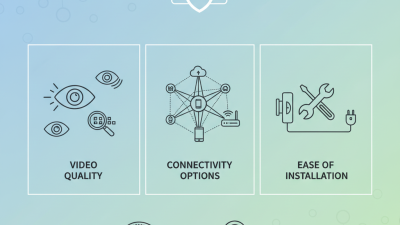
An IP door entry system performs well when voice, video, access control, and network reliability work together. Image clarity matters, but a clear view of a visitor’s face in afternoon glare is more useful than a high pixel count alone. Look for wide dynamic range, useful night illumination, and a camera angle that shows the approach without capturing excessive background.

Audio deserves equal attention. Echo cancellation and noise reduction can make a brief exchange understandable beside a busy street. Two-way audio should stay responsive, while call routing should reach the right staff member or resident without needless delays. Small delays matter. Test the system over the actual network, including weak Wi-Fi areas and busy hours. Test it onsite. A strong specification cannot fix unstable cabling or congestion.

Access options shape daily use. PINs, mobile credentials, and directory calls can suit different visitors, but each adds setup and support needs. Check whether permissions can be changed quickly, and whether entry records are clear enough for routine review. Security updates and encrypted communication are important, yet maintenance plans are often overlooked. I would also test the panel in rain, direct sun, and with gloves; usability on a showroom desk can be misleading. There is no perfect setup. Some trade-offs only become obvious after installation.

What Is the Best IP Door Entry System in 2026? - Key Features That Shape System Performance

Performance Dimension What to Evaluate Why It Matters Practical Selection Signal
Audio and video quality Check microphone and speaker clarity, camera resolution, low-light performance, field of view, and performance in the actual entrance environment. Clear communication and a useful view help occupants identify visitors and respond confidently. Look for intelligible two-way audio, suitable low-light capability, and a camera view that covers the approach without excessive distortion.
Network and power compatibility Confirm Ethernet requirements, bandwidth needs, and whether the device supports Power over Ethernet (PoE). Verify the required PoE class against the network switch or injector. Network capacity and power availability affect installation complexity and reliable operation. Choose equipment that matches the site network and documented power budget; IEEE 802.3af and 802.3at are common PoE standards.
Interoperability Verify support for the protocols and integrations required by the project, such as SIP for calling or ONVIF profiles for compatible video functions. Protocol support can make it easier to connect door stations with phones, video systems, or other building equipment, but compatibility is not automatic. Confirm the exact models, software versions, supported profiles, and required features with a pre-installation compatibility test.
Door and access control Review relay outputs, input monitoring, credential options, schedules, event logging, and integration with existing access-control equipment. Entry workflows must fit the building’s security policy and operational needs. Check that the system supports the required door hardware and that unlocking permissions, schedules, and audit records can be configured appropriately.
Cybersecurity Assess encrypted communications, account permissions, secure configuration, vulnerability handling, and the supplier’s process for software updates. Door entry devices are network-connected systems and should be protected against unauthorized access and outdated software. Prefer unique credentials, role-based access, secure remote administration, documented update support, and a clear process for changing default settings.
Reliability and environmental suitability Check the stated operating temperature, ingress protection rating, vandal-resistance rating where applicable, and the installation environment. Outdoor exposure, dust, moisture, and physical impact can affect service life and availability. Match the device’s published environmental ratings to the location; ratings should be verified for the complete installed assembly where relevant.
Availability and resilience Ask how the system behaves during internet, local network, server, or power outages, and whether local operation or backup power is supported. Failure behavior determines whether residents or staff can still manage entry during an outage. Document the expected fallback mode, backup-power runtime if provided, and recovery procedure before deployment.
Usability and accessibility Evaluate button layout, screen readability, language options, audible and visual feedback, and usability for visitors with different needs. An entry system needs to be understandable and usable by residents, staff, delivery personnel, and visitors. Test common visitor tasks at the installed height and lighting conditions, and confirm that the interface suits the building’s users.
Administration and scaling Review user and credential management, remote administration, event search, multi-entrance support, and configuration backup. Efficient administration reduces routine workload and makes expansion easier to manage. Confirm that the system can handle the planned number of doors and users, with clear permission controls and documented backup and recovery steps.
Privacy and data retention Identify what audio, video, and access events are recorded, where they are stored, who can access them, and how long they are retained. Recording and access logs can contain personal information and should be managed according to applicable laws and building policy. Set retention and access rules before activation, and verify that recording features can be configured to match local requirements.
Lifecycle and support Review warranty terms, repair and replacement options, software support period, documentation, and availability of spare parts. Long-term support affects maintenance costs and the ability to keep the system secure and operational. Compare documented support commitments and total lifecycle needs, not just the initial equipment and installation cost.

How to Compare IP Door Entry Systems in 2026

A useful comparison starts at the entrance, not on a feature list. Check whether each system works with your existing Ethernet, door hardware, and indoor stations. If it requires new cabling, include labor and disruption in the real cost. Small details matter. Compare call quality at a busy doorway, including echo, wind, and delayed video. Ask how residents find names, answer calls, and grant temporary visitor access. A polished screen is not enough. Test it.

For a fair comparison, use the same network, lighting, and call route for every option. Measure connection time, video clarity, and performance during a network outage. Review user permissions, software updates, event logs, and encryption details with the supplier. Do not assume “IP” means effortless integration. Confirm compatibility with your access controller and management platform before purchasing. Compare support response times and replacement-part availability, not just warranty length. One caveat: specifications can look precise, while real-world network congestion changes results. I still tend to overvalue image sharpness; dependable audio and clear visitor instructions often matter more. Choose a system that fits the building’s daily traffic and your team’s ability to maintain it.

Choosing a System for Different Property Types

For an apartment building, choose an IP door entry system that routes calls to the correct unit and manages several entrances. A clear directory and remote release can reduce missed deliveries. In a detached home, a camera with a wide view of the path may matter more than complex call routing. Small offices often need timed access and simple staff permissions. There is no single best fit. The right choice depends on who uses each entrance, how many doors need coverage, and whether the network remains reliable at busy times.

Tips: Test the system at the actual entrance. Check faces in daylight and after dark, listen for traffic noise, and confirm the indoor call reaches the right room. Ask how the system behaves during a network or power interruption.

When comparing options, inspect the existing cabling and network before choosing features. Older buildings may need extra wiring or access points, which can change the project cost. Ask for a site survey and a written explanation of installation, updates, and user access controls. One detail is easy to overlook: residents may not want calls routed to personal phones. Discuss that preference early, then review the setup after people have used it for a few weeks. A neat specification can still miss everyday needs.