Leave Your Message
An Ip Door Entry System connects a building’s entrance to an IP network, allowing communication through data rather than traditional wiring. When a visitor presses the outdoor call button, the system sends audio, video, and identification details to an indoor monitor or authorised mobile device. The resident or receptionist can speak with the visitor and release the lock remotely. Some models also support PIN codes, RFID cards, QR credentials, or biometric verification.
In a real office, the process may involve a camera, microphone, network switch, electric lock, and Power over Ethernet connection. This arrangement can simplify installation and provide central management across several doors. Administrators may review entry events, update permissions, and receive alerts when unusual activity occurs. However, convenience should not replace careful planning. Network failures, weak passwords, poor lighting, and incorrect lock settings can reduce protection. No system is flawless.
Reliable deployment requires more than choosing a feature-rich device. Installers should assess cable routes, door hardware, emergency egress, visitor flow, and network capacity. They should also configure encryption, software updates, user roles, and secure remote access. Privacy matters too. Video, audio, and access records should be collected only for clear operational purposes and handled according to applicable requirements. Reputable manufacturers provide technical documentation, warranty information, and maintenance guidance, but their claims still deserve practical testing. A short trial can reveal problems that brochures miss. This article explains how an Ip Door Entry System works, what components it needs, and which decisions influence everyday security, reliability, and user experience.
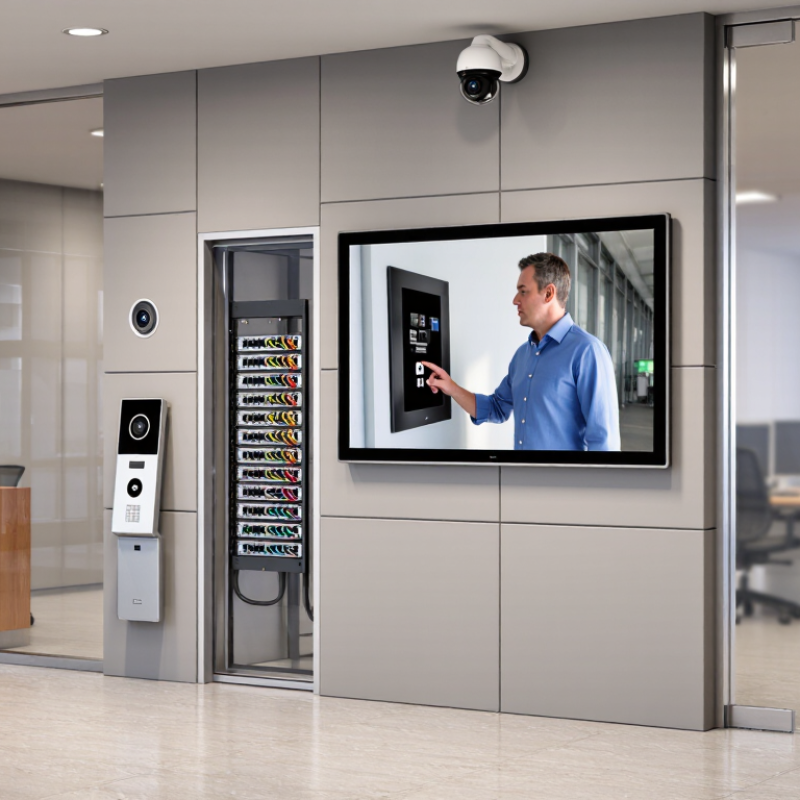
An IP door entry system is a network-connected access solution for controlling a building entrance. “IP” means Internet Protocol, the same communication method used by many modern networks. Unlike a basic intercom, it can transmit audio, video, and access commands through Ethernet or Wi-Fi. The system connects an entrance station, indoor monitor, network equipment, and electronic lock.
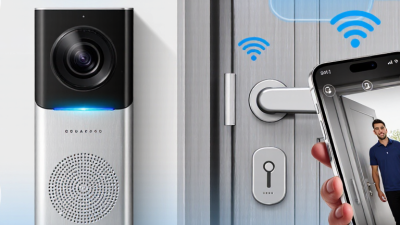
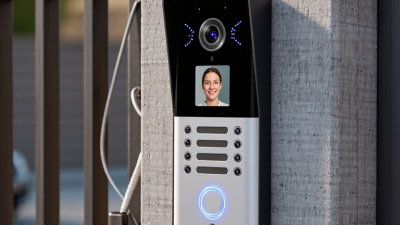
At the entrance, a visitor presses a call button. The camera captures the doorway, while the microphone and speaker support two-way communication. The device sends this information across the local network to a monitor, computer, or approved mobile interface. An authorized user can check the visitor and release the lock remotely. Power over Ethernet may supply both data and electricity through one cable. However, network quality matters.
A professional installation checks cable routes, weather exposure, lighting, and emergency release arrangements. Technicians should also separate visitor permissions from administrator controls. Access records can support security reviews, but they require careful handling and limited retention. A rushed setup may produce poor audio or blind camera angles. The system is not completely self-managing. Firmware updates, strong credentials, and routine testing remain necessary. Even camera placement deserves reflection; a wider view may improve recognition but capture more surrounding activity.
| Data Dimension | Typical Specification or Standard | How It Works | Practical Benefit |
|---|---|---|---|
| System Definition | A network-connected access-control and communication system using Internet Protocol (IP). | Door stations, indoor monitors, mobile clients, controllers, and management software exchange data over an Ethernet or IP network. | Combines visitor communication, video verification, and door release in one networked platform. |
| Primary Door Station | Typically includes a camera, microphone, speaker, call button, and an electronic lock interface. | Captures the visitor’s video and audio, then sends a call request to a configured indoor endpoint or software client. | Allows occupants or security staff to identify visitors before granting access. |
| Network Connection | Fast Ethernet or Gigabit Ethernet over structured copper cabling; wireless connectivity may be available for selected endpoints. | IP packets carry signaling, audio, video, control commands, and management traffic between system components. | Uses existing network infrastructure and supports centralized administration. |
| Power over Ethernet | IEEE 802.3af PoE provides up to 15.4 W at the network switch; IEEE 802.3at PoE+ provides up to 30 W at the switch. | A compatible Ethernet switch or injector supplies power and data through the same twisted-pair cable. | Can reduce separate power wiring, although the endpoint’s actual power requirement must be checked. |
| Audio Communication | Two-way voice commonly uses packetized audio transported with RTP; SIP is widely used for call signaling in interoperable systems. | The call is established over the IP network, while audio packets flow between the door station and answering device. | Supports hands-free conversations and remote visitor screening. |
| Video Transmission | Digital video is commonly encoded with H.264 or H.265; resolution and frame rate depend on the device and network capacity. | The camera compresses the image into a digital stream, which is delivered to an indoor monitor, computer, or authorized mobile client. | Provides visual confirmation and can support event recording or live monitoring. |
| Door Release Mechanism | The IP endpoint or access controller usually operates a relay connected to an electric strike, electromagnetic lock, or motorized lock. | After authorization, a control command activates the relay for a configured period, such as a few seconds. | Enables remote unlocking while allowing the lock’s power supply and safety requirements to be managed separately. |
| Authentication Methods | Possible methods include a call-and-release action, PIN entry, RFID or NFC credential, QR code, mobile credential, or biometric verification. | The system compares the presented credential or identity with configured permissions before sending an unlock command. | Supports different access policies for residents, employees, visitors, and service personnel. |
| Access Event Records | Records may include device identity, date and time, credential or user reference, access result, and door status. | Events are stored locally, on a controller, or on a management server according to the system design. | Improves auditing, incident investigation, and maintenance visibility. |
| Network Security | Recommended controls include strong passwords, role-based permissions, network segmentation, encrypted management access, and timely firmware updates. | Only authorized users and trusted devices should be able to view video, change settings, or operate the lock. | Reduces the risk of unauthorized access, data exposure, and device tampering. |
| Call Workflow | A standard workflow consists of call initiation, notification, two-way communication, identity verification, door release, and call termination. | The door station sends a request; the recipient answers; an authorized user selects unlock; the system records the result. | Creates a clear and repeatable visitor-management process. |
| Remote Access | Remote operation may use a secured application connection, VPN, or managed cloud service, depending on the system architecture. | Authorized users receive a call or notification and communicate with the visitor through an approved remote endpoint. | Allows access management when staff or residents are away from the entrance. |
| Fail-Safe and Fail-Secure Behavior | Fail-safe locks generally release when power is removed; fail-secure locks generally remain locked when power is removed, subject to local fire and safety regulations. | The lock and power design determines what happens during a power outage or system fault. | Helps designers balance security, emergency egress, and regulatory compliance. |
| Scalability | Additional doors, indoor stations, users, and management clients can be added according to the capacity of the network and control platform. | Devices are assigned network addresses and configured through centralized or distributed management tools. | Suitable for single entrances as well as multi-door residential, commercial, and institutional sites. |
| Main Installation Considerations | Plan cable distance, switch power budget, lock power supply, network addressing, bandwidth, weather protection, emergency egress, and data-security controls. | The network, electrical, security, and building-access requirements must be designed together before deployment. | Reduces compatibility problems and supports reliable long-term operation. |