How to Choose an IP Video Door Phone in 2026?
Choosing an Ip Video Door Phone in 2026 is not just about finding a sharper camera. It means selecting a reliable entry system that fits your building, network, and daily routines. A visitor should appear clearly on the indoor screen, even when the porch is dim or rain blurs the lens. Audio should remain understandable through a closed door. Small details matter.
Market reports offer useful context, but they need careful interpretation. Grand View Research’s Smart Doorbell Market report estimated the global market at USD 2.3 billion in 2022 and projected a 9.3% compound annual growth rate through 2030. Smart doorbells are not the same as every IP video intercom, so this figure is a market signal, not a direct forecast for all door phones. Still, it points to rising interest in connected entry and remote visitor management.
Security deserves equal weight. Cybersecurity expert Bruce Schneier’s reminder, “Security is a process, not a product,” is relevant to any network-connected door phone. Buyers should examine software-update policies, account controls, encryption claims, and what happens when the internet fails. Look closely.
This guide compares the features that affect real installations: image quality, night vision, two-way audio, app usability, wiring, storage, and integration with locks or access systems. A polished demo can hide awkward setup or unreliable notifications. I would not treat a long feature list as proof of quality. The right Ip Video Door Phone is the one that stays clear, secure, and usable after installation—not merely the one that looks impressive on a product page.
Define Your Entryway Needs and IP Video Door Phone Requirements
Define Your Entryway Needs and IP Video Door Phone Requirements
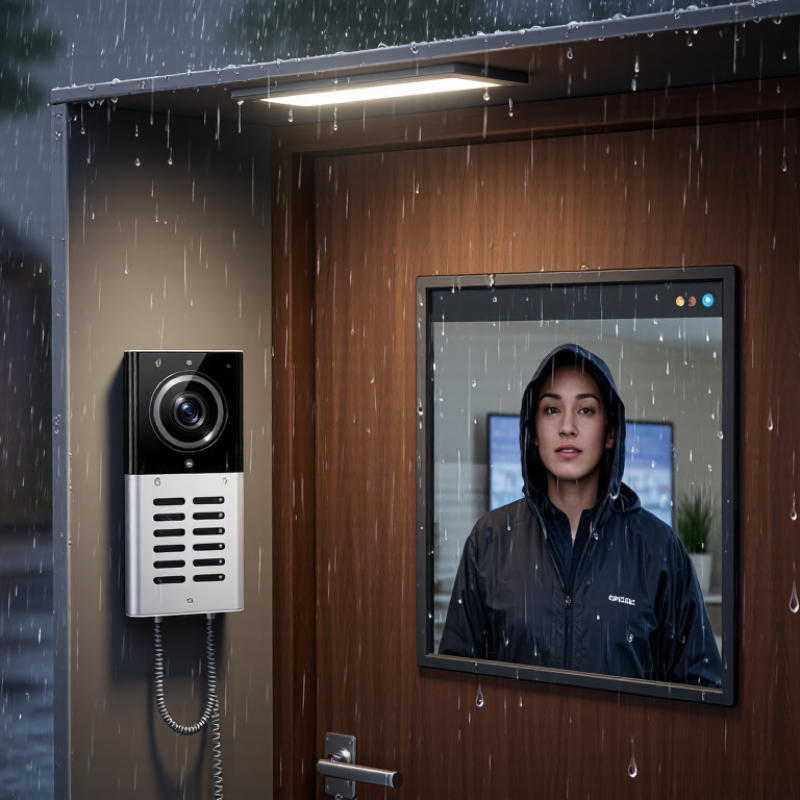
Start with the doorway, not the screen. Count the people who need access, including children, older residents, and regular visitors. Note whether the entrance faces a busy street, a shared corridor, or a dark porch. A courier may need clear two-way audio, while a family member may value quick access from an indoor monitor. Rain changes things. Check where the camera can be mounted without pointing into a neighbor’s private space.
Measure the distance from the gate to the front door and note any walls between the device and your router. Thick masonry can weaken Wi-Fi, so a wired network connection may be more dependable if installation allows. Ask whether you need remote answering, multiple indoor screens, night vision, or access logs. Choose features that fit real routines; extra functions can add setup and maintenance work. Small details matter.
Check the camera’s viewing angle against the actual doorway, including where visitors stand and where packages are left. Look for clear video in low light and audio that remains understandable beside traffic or a ventilation fan. Confirm how recordings are stored, who can view them, and how long they remain available. A quick Wi-Fi test can mislead; test during busy evening hours, too. I would not judge a system by its specification sheet alone. Real placement and network conditions can be less tidy than the plan.
How to Choose an IP Video Door Phone in 2026?
Define Your Entryway Needs and IP Video Door Phone Requirements
Resolution values are calculated from each format’s pixel dimensions. More pixels can help capture detail at an entryway, but the best choice also depends on viewing distance, camera field of view, lighting, and network capacity.
Compare Video, Audio, and Access Control Features
When comparing an IP video door phone, judge the whole visit, not just the screen. A clear image should reveal a visitor’s face in low light and remain usable against a bright porch. Test both conditions. Check viewing angle, night illumination, and recording detail; a wide lens can distort faces near the edge. Audio deserves equal attention: speech should stay natural over a fan, street noise, or a closed entry door. Listen at both ends. Echo control and adjustable volume can matter more than an impressive feature list. A small speaker can make names hard to understand. That is easy to miss.
For access control, compare PIN entry, credential options, visitor calling, and remote release. Confirm which actions appear in the event log and how long records remain available. Keep it practical. Can a resident use the keypad without rushing? Does a visitor have a clear way to call? Check that the indoor unit and app show matching event status; delays can create uncertainty at the door. Verify network requirements and what still works during a brief connection outage. Permissions should be easy to update, but not so simple that every user receives the same access. Specifications alone cannot show how a device performs at your entrance. Test for glare, echo, and weak wireless signal in the actual installation location.
Evaluate Cybersecurity, Privacy, and Reliability
How to Choose an IP Video Door Phone in 2026?
Evaluate Cybersecurity, Privacy, and Reliability
A clear image is useful, but the device also handles sensitive information about visitors and household routines. Check whether it supports unique user accounts, strong authentication, and regular security updates. Ask how long recordings remain stored and whether you can delete them yourself. Vague answers are a warning sign. Small details matter.
Look closely at privacy controls before installation. Can you limit the camera’s viewing area so it does not capture a neighbor’s doorway or a busy sidewalk? Can you disable audio or restrict which household members can review clips? Test these settings with the device in place, since a small change in angle can expose more than expected. Test it offline, too. Some models lose useful functions when the internet drops, even if local access should be available.
Reliability depends on more than a strong Wi-Fi signal. Check the recommended network requirements, backup power options, and whether the door phone keeps working during a router restart. If possible, test a live call from the actual installation spot, including at night and during ordinary household activity. Review the update policy and account-recovery process as well. I would not assume that a polished app means dependable support; that assumption is easy to make, and worth questioning. A simple, documented setup may be safer and less frustrating than a feature-packed system no one maintains.
Assess Installation, Support, and Total Cost of Ownership
How to Choose an IP Video Door Phone in 2026?
A low purchase price can hide costly installation work. Check whether the unit uses existing wiring or needs new cable, a network switch, or a qualified installer. A tidy entryway can still conceal old, incompatible wiring. Ask for a site estimate before comparing prices. Include any monthly cloud fees, replacement parts, and the cost of keeping the system running over five years.
Support affects that total. Confirm how long software updates are provided, how quickly faults are handled, and whether recordings remain accessible during an internet outage. The 2024 Data Breach Investigations Report found that 68% of breaches involved a human element, such as errors or misuse. That finding is not specific to door phones, but it shows why clear account controls and dependable support matter. NIST’s IoT cybersecurity guidance also identifies secure software updates and device-state awareness as key capabilities. Still, promised support periods can be vague. Get them in writing.
Tips: Test the door phone at the actual entrance. Check night images, speaker volume, and Wi-Fi strength with the door closed. Compare the full five-year cost, not just the box price. Small details matter.