Leave Your Message

7 Tips for Choosing a Panacom Video Intercom System?

Choosing a Panacom Video Intercom system is more than comparing cameras, screens, and prices. It is a decision about daily access, visitor safety, privacy, and long-term reliability. A polished brochure cannot show how the system performs during rain, poor lighting, network interruptions, or a busy delivery period.

Bruce Schneier, a respected security technologist, offers a useful principle: “Security is a process, not a product.” That idea fits every Panacom Video Intercom project. The right system should support real habits, not merely impressive specifications. It must suit the building’s entrances, user numbers, wiring, and maintenance capacity.

This guide presents seven practical tips for making a more informed choice. It considers video quality, two-way audio, installation conditions, remote access, integration, durability, and support. A clear image at noon may become useless at dusk. A mobile app may seem convenient, yet it can frustrate users when notifications arrive late. These details matter.

Experience also teaches a less comfortable lesson. The cheapest option may create higher costs later. However, the most expensive system is not automatically the best one. That assumption needs testing.

Reliable selection begins with honest questions. Who will answer calls? Which doors need control? What happens during an internet outage? Can older residents use the interface without assistance? By examining these points carefully, readers can compare Panacom Video Intercom solutions with greater confidence and avoid choices based only on appearance.
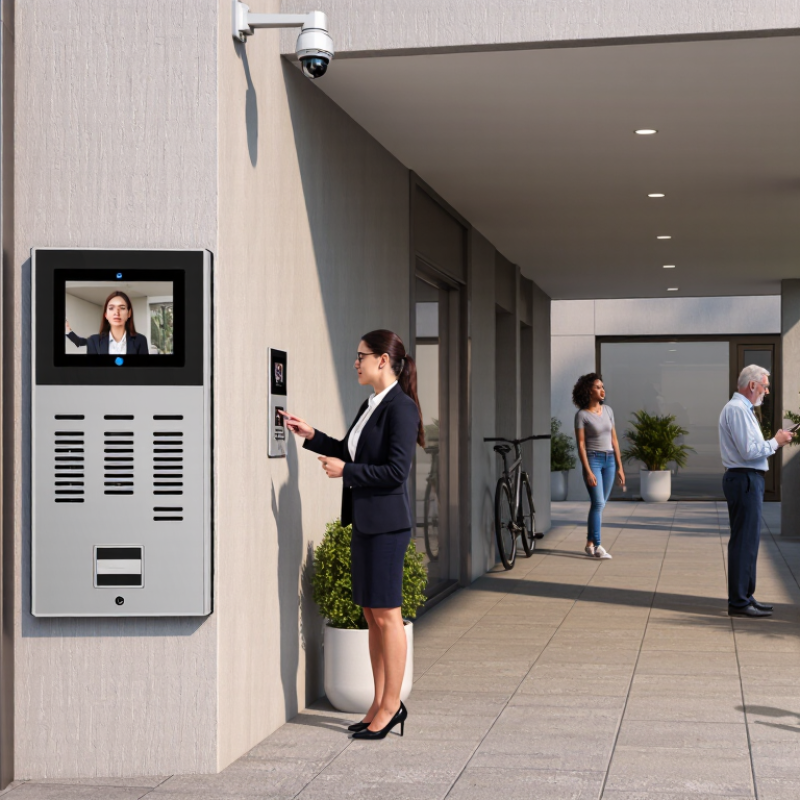
7 Tips for Choosing a Panacom Video Intercom System?

Define Site Needs: Users, Doors, Wiring, Weather, and Security Risks

Choosing a video intercom system starts with the site, not the product brochure. Walk through every entrance and record who needs access, including residents, staff, visitors, and delivery teams. A small office may need one door station, while an apartment building may require several linked entrances. Count doors carefully. Missed side gates often create expensive installation changes.

Inspect the existing wiring before selecting equipment. Note cable type, distance, power availability, and network limitations. Older wiring may cause weak video, delayed audio, or unreliable unlocking. A qualified installer should test voltage and signal quality on site. Do not assume that “working cable” means suitable cable. I have seen a system fail because one long, damaged cable was treated as acceptable.

Weather and security risks also shape the specification. Outdoor stations may face rain, dust, heat, freezing temperatures, or direct sunlight. Look for suitable protection ratings and a readable camera image in changing light. Review blind spots, forced-entry points, and emergency access procedures. Use encrypted communication, strong user authentication, and controlled permissions where available. Keep access records protected and define who can review them. Some plans still overlook power outages. Add backup power only after checking its capacity and maintenance needs. Perfect surveys are rare; revise the plan when real site conditions challenge your assumptions.
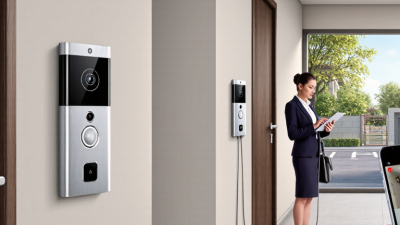
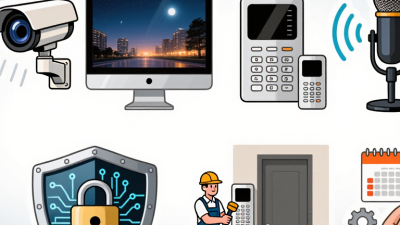
Choose Resolution Wisely: 1080p Delivers Approximately 2 Megapixels

Choosing a Panacom Video Intercom System?

Resolution deserves careful attention. A 1080p camera records 1920 by 1080 pixels, or approximately two megapixels. That detail can reveal facial features, package labels, and clothing colors at the entrance. Tip: Check the actual resolution, not only the word “HD.” Some products use vague descriptions. That can mislead buyers.

Tip: Match resolution with screen size and viewing distance. A small indoor monitor may not show every pixel clearly. Tip: Test images in daylight and at night. Backlighting can erase facial details, even with 1080p. Tip: Ask whether video compression reduces visible sharpness. Strong compression may create blocky edges around moving visitors. I once focused too heavily on pixel count. That assumption was too simple.

Tip: Check the camera’s field of view before choosing higher resolution. A wide image can make faces appear smaller. Tip: Review recordings on the device you will actually use. A phone, monitor, and tablet may display details differently. Tip: Confirm stable network performance, because delayed video weakens practical security. Tip: Compare real sample footage, not only specification sheets. Reliable testing includes shadows, rain, nighttime scenes, and a person standing several steps away. Higher resolution helps, but placement and lighting still matter. Sometimes, a well-positioned 1080p camera performs better than a poorly installed higher-resolution model.

7 Tips for Choosing a Video Intercom System: Choose Resolution Wisely — 1080p Delivers Approximately 2 Megapixels

Tip Evaluation Dimension Reference Data What the Data Means Practical Selection Guidance
1 Select a useful resolution 720p: 1,280 × 720 = 921,600 pixels (about 0.92 MP)
1080p: 1,920 × 1,080 = 2,073,600 pixels (about 2.07 MP)
4K: 3,840 × 2,160 = 8,294,400 pixels (about 8.29 MP)
1080p provides more than twice the pixel count of 720p, while 4K provides four times the pixel count of 1080p. For most residential entrances and small commercial doors, 1080p is a practical balance between image detail, network load, and storage requirements.
2 Check identification distance A 16:9 1080p image contains 1,920 horizontal pixels. At a 90° horizontal field of view, a subject 2 m from the camera spans approximately 2 m of scene width, or about 960 pixels per metre before cropping and compression. More pixels can preserve facial and package detail when the subject occupies a larger portion of the frame. Match resolution with camera placement, field of view, and expected visitor distance rather than choosing the highest number alone.
3 Compare low-light performance Pixel count does not directly measure night-image quality. Larger image sensors, wider apertures, infrared illumination, and suitable noise reduction can improve performance in dark scenes. A higher resolution camera may produce a noisier image if its sensor and lighting are not adequate for the environment. Review sample footage captured in daylight, low light, and backlit conditions. Confirm that faces remain visible at the entrance after dark.
4 Estimate network bandwidth Actual traffic depends on codec, frame rate, scene movement, and compression. Typical planning ranges are approximately 1–4 Mbps for 1080p H.264 and 2–8 Mbps for 1080p H.265. Higher resolution and frame rate generally require more network capacity, although modern codecs can reduce the increase. Reserve capacity for peak activity and other connected devices. Test the system over the intended wired or wireless network before installation.
5 Calculate storage requirements At a constant 4 Mbps stream, one camera generates approximately 43.2 GB per day: 4 Mbps × 86,400 seconds ÷ 8. Storage depends primarily on bitrate and recording duration, not resolution alone. Motion recording can reduce storage compared with continuous recording. Use the camera's actual bitrate and recording schedule to size storage. Add spare capacity for multiple doors, retention policies, and event clips.
6 Verify frame rate and latency Common video rates include 15, 20, and 30 frames per second. A 30 fps stream captures twice as many frames per second as a 15 fps stream. Frame rate affects motion smoothness, while network delay affects how quickly residents can see and respond to visitors. For normal visitor interaction, prioritize stable video, clear two-way audio, and low delay. Use higher frame rates where moving subjects must be observed clearly.
7 Assess installation and compatibility Confirm support for the intended power method, door-lock voltage, relay type, mounting position, weather protection, and operating temperature. An IP65 enclosure rating indicates dust protection and protection against water jets, but not immersion. A high-resolution camera cannot compensate for unsuitable wiring, poor mounting, glare, or an incompatible door-control circuit. Check the complete installation specification, including power budget, cable distance, lock requirements, viewing angle, and environmental conditions before purchase.

Note: Megapixel values are calculated from the stated horizontal and vertical pixel dimensions. Bandwidth and storage figures are planning estimates; actual results vary with codec settings, frame rate, scene activity, image quality, and recording mode.

Verify Network Power: IEEE 802.3af Provides 15.4 W; 802.3at Provides 30 W

Choosing a video intercom system requires more than checking screen size or camera resolution. Network power is equally important. IEEE 802.3af supplies up to 15.4 W per port, while IEEE 802.3at supplies up to 30 W. These figures describe switch output, not always the power reaching the device. Cable length, connector quality, and network losses can reduce the available power.

Tip 1: Match the intercom’s power requirement with the switch standard. A basic indoor unit may operate well with 802.3af. Outdoor stations with infrared lighting, heaters, displays, or electronic locks may need 802.3at. Check the technical sheet carefully. “PoE compatible” is too vague.

Tip 2: Calculate the total power budget, not only one port. A switch may offer 30 W per port but have a lower shared budget. For example, eight active devices can overload a small switch during startup. I have seen systems restart when several door stations activate together. It is easy to miss this detail.

Tip 3: Test the installation under real conditions. Connect the longest cable, enable night lighting, and activate the lock relay. Watch for reboots, flickering screens, or delayed audio. A short bench test can look perfect. Field conditions are less forgiving. Leave some power headroom, even if the calculation appears sufficient. Mistakes happen, and future accessories may increase demand.

PoE Power Comparison for Video Intercom Systems

IEEE 802.3af supplies up to 15.4 W from the power source, with up to 12.95 W available to the powered device. IEEE 802.3at increases these limits to 30 W and 25.5 W respectively, providing additional capacity for displays, cameras, electric locks, and other connected features.

Prioritize Interoperability: Check ONVIF Support and SIP Compatibility

7 Tips for Choosing a Panacom Video Intercom System
Tip 1:
Check ONVIF support before installation. It helps the intercom communicate with cameras, recorders, and monitoring software from different manufacturers.
Tip 2:
Confirm SIP compatibility. A SIP-ready system can connect with compatible phones, indoor stations, and unified communication platforms. Ask for supported SIP versions, codecs, and authentication methods.
Tip 3:
Test real devices, not only brochures. I once trusted a compatibility list and found that video worked, but door audio failed. Small details matter.
Tip 4:
Review network requirements carefully. Check bandwidth, PoE support, latency, and VLAN settings before choosing equipment. A clear image becomes useless when calls drop during busy periods.
Tip 5:
Request an interoperability test report. It should explain tested firmware, connection methods, and known limitations.
Tip 6:
Examine update procedures and technical support. Standards can be supported unevenly after software changes. That part is easy to overlook.
Tip 7:
Confirm security settings, including encrypted signaling, strong passwords, and access permissions. Do not assume every compatible connection is equally secure. Speak with installers who have configured similar systems, and ask them to demonstrate a complete call: visitor panel, indoor station, camera recording, and remote release. Personally, I would test this twice, because one successful demonstration may hide an intermittent fault.

Assess Durability and Access Control: Compare IP65 Ratings and RFID Options

Choosing a Video Intercom System: Durability and Access Control

Outdoor video intercoms face rain, dust, sunlight, and repeated visitor use. An IP65 rating is a useful baseline for exposed entrances. Under IEC 60529, IP65 indicates complete dust protection and resistance to water jets. It does not confirm protection against immersion or poor installation. IP65 is useful, not magical. During site inspections, I check cable glands, drainage paths, and mounting angles. A sealed enclosure can still fail when connectors remain exposed. Select UV-resistant materials and inspect seals before each wet season.

RFID access control adds speed, but credential management deserves equal attention. Cards or key fobs should support revocation, event logging, and role-based permissions. MarketsandMarkets valued the global access control market at about US$10.3 billion in 2024. Its 2029 forecast reaches US$15.2 billion, reflecting an 8.0% compound annual growth rate. Convenience has a cost. Compare encrypted credentials, reader compatibility, and offline behavior before choosing a system.

Fortune Business Insights estimates the access control market could grow from US$10.68 billion in 2023 to US$20.02 billion by 2030. That growth reflects wider demand for managed entry systems, not automatic reliability. Ask installers to demonstrate wet-weather operation, failed-network access, and audit-log retrieval. Test the basics. A practical review should also consider replacement cards, battery backup, and staff training. I have seen projects focus heavily on IP ratings, then overlook credential removal after personnel changes. That assumption can fail.