How to Use a Door Camera Without WiFi?
A Door Camera No Wifi setup can still protect a front entrance, but it requires practical planning. Instead of sending video through a home router, the camera may use local storage, a cellular connection, or direct recording. Some models save clips to a microSD card. Others connect to a dedicated monitor inside the house. A few need no network at all.
“Security equipment is only valuable when it works reliably during a real incident,” says Rebecca Edwards, a senior safety analyst at SafeWise. Her point is easy to overlook. A camera with strong resolution means little if its battery dies beside the porch. A memory card also becomes useless when it is full, damaged, or difficult to remove. Small details matter.
This guide explains how to choose, install, and maintain a Door Camera No Wifi system. It covers power options, offline recording, cellular models, night vision, storage limits, and visitor alerts. Expect trade-offs. Local recording can improve privacy, but it may not provide remote access. Cellular cameras can send notifications, but they usually require a subscription and dependable signal strength. Wired systems offer stability, though installation may take longer.
Test it at night.
Walk past the door slowly. Check whether faces remain visible, whether audio is clear, and whether recordings save correctly. I have found that real-world testing reveals problems product pages often hide. Weather, thick walls, weak batteries, and poor camera angles can change performance quickly. A reliable setup is not necessarily the most advanced one. It is the one that continues recording when the internet disappears.
What a Door Camera Needs to Work Without WiFi
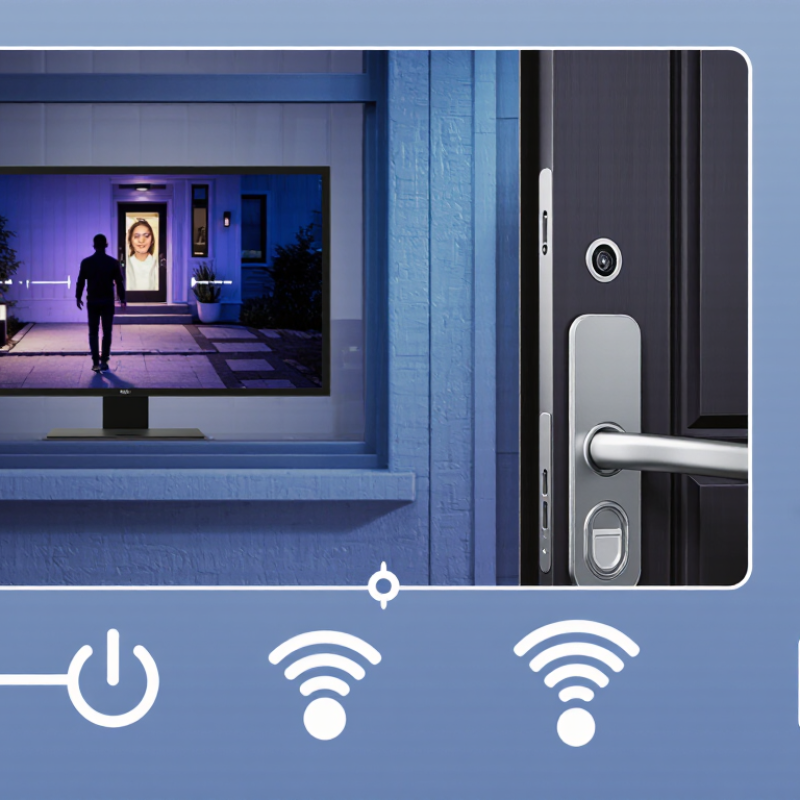
A door camera does not need WiFi to record activity. It needs stable power, a camera sensor, local storage, and basic processing. A battery can run the unit, but cold weather may shorten its life. Wired power is more dependable near a busy entrance. It is not perfect.
Without WiFi, choose a model with encrypted local storage, such as an internal card or recorder. Video stays inside the device instead of traveling to cloud servers. However, local recording usually removes remote viewing and instant phone alerts. A cellular connection can restore those features, but it needs network coverage, a data plan, and backup power. According to Grand View Research’s 2024 video surveillance report, the global market reached about 53.7 billion dollars in 2023. That scale reflects growing demand for continuous monitoring, not necessarily dependable internet access.
Storage capacity also matters. A 1080p camera can use several gigabytes daily, depending on frame rate and compression. Motion recording reduces usage, yet it may miss a brief approach. NIST’s IoT guidance recommends secure authentication, software updates, and protected device access. Those controls still matter when the camera works offline. I would test the camera for three nights before trusting it. Check night images, door coverage, battery drain, and whether recorded files open correctly. One overlooked weakness remains: a thief could remove the camera, taking its local evidence with it.
How to Choose a Door Camera with Offline Recording
How to Use a Door Camera Without WiFi?
A door camera can work without WiFi when it supports local recording. Look for a microSD card slot or encrypted internal storage. Continuous recording needs more space than motion clips. A 128GB card may store several days, depending on resolution and activity. Check the camera’s storage limits carefully. Some models overwrite older footage automatically.
Choose a camera with clear night vision, accurate time settings, and event tagging. Battery models need frequent charging during heavy recording. Wired models usually provide steadier, continuous coverage.
The 2024 Verizon Data Breach Investigations Report found that human involvement appeared in 68% of breaches. This does not prove every camera is unsafe, but it supports reducing unnecessary cloud exposure.
The FBI’s 2023 Internet Crime Report recorded 880,418 complaints and reported losses above 12.5 billion dollars.
Local recording cannot prevent every risk. It can, however, limit dependence on remote accounts.
Tips: Test recording before installation. Remove the card and open a sample file. Confirm that voices and faces remain understandable. Choose encrypted storage when available. Keep the camera’s clock accurate. A wrong timestamp can weaken otherwise useful footage. Review the overwrite setting, too. Many owners discover the problem late. Motion-only recording saves space, but it may miss a brief package drop or a fast visitor. Offline security is practical, though not perfect.
How to Install and Position the Camera Correctly
When Wi-Fi is unavailable, installation quality matters more than app features. The FBI’s 2023 Crime Data Explorer recorded 847,522 burglary offenses nationwide. A correctly positioned camera can preserve useful evidence through local storage, a wired recorder, or cellular transmission.
Mount the camera 2.1 to 2.4 meters above the ground. This height discourages easy tampering while keeping faces visible. Aim slightly downward, not straight across the doorway. Keep the visitor’s face near the image center. Leave enough space to capture packages and approaching hands. Avoid placing the lens behind glass, metal screens, or thick branches.
Light matters. The U.S. Department of Energy reports that LED lighting uses at least 75% less energy than incandescent lighting. Install a soft lamp beside the entrance, rather than pointing bright light into the lens. Test the view at night. Test it again during rain. Small changes can create glare, shadows, or washed-out faces.
A practical mistake is mounting the camera too high for a wider view. Wider is not always better. Check the recording from standing eye level, then walk toward the door wearing a hat. Confirm that facial details remain visible. Protect local storage in a locked indoor recorder, and use encrypted memory when supported. I would also mark the cable route before drilling; replacing a misplaced mount is frustrating and avoidable.
How to Power and Access a WiFi-Free Door Camera
How to Use a Door Camera Without WiFi?
A door camera can work without WiFi if its power and storage systems are planned carefully. For continuous monitoring, use a wired power adapter or Ethernet cable with Power over Ethernet. This avoids frequent battery charging. A battery-powered camera is easier to install, but cold weather and frequent motion alerts can reduce its runtime.
For recording, choose a camera with local storage, such as a memory card or a connected recorder. It can save video even when the internet is unavailable. You can review clips by removing the card or connecting a monitor to the recorder. Keep the recorder indoors, away from moisture and direct heat. I recommend testing playback before installation. Some systems record correctly but make file access surprisingly awkward.
Remote access needs another connection. A cellular-enabled camera can send alerts through a mobile data plan, while a wired Ethernet connection can provide internet without WiFi. Cellular performance depends on signal strength near the doorway. Weak coverage may cause delays or missed uploads. Check the signal at the exact mounting position, not beside a window indoors. Use a strong password and update the firmware when possible. Local recording is more dependable, but it is less convenient when you are away. Motion zones also need adjustment; otherwise, passing cars, trees, or rain may fill the storage quickly.
How to Use a Door Camera Without WiFi?
Power and access options vary by camera design. The chart compares nominal voltage levels commonly used with WiFi-free door-camera installations.
How to access the camera: Battery and USB-powered cameras can record to local storage, such as a memory card, and can be accessed by removing the card or connecting directly to the device when supported. A wired Ethernet model can provide network access without WiFi, while a 12V adapter is suitable only when the camera specifically accepts that input.
How to Store, Review, and Protect Recorded Footage
A door camera can record without WiFi, but its storage plan matters more than its live view. Choose a device with local memory or a removable card rated for continuous recording. Check capacity before installation. A 128 GB card may hold several days, depending on resolution and motion activity. When space runs out, many cameras overwrite the oldest clips. That is convenient, but it can erase evidence before you review it. Test one full recording cycle at home. Do not assume the advertised duration is exact.
For review, remove the card only after stopping the camera, if possible. Open files on a trusted computer using a read-only copy. Keep the original untouched. Look for clear timestamps, short event names, and a working date setting. If the camera uses internal memory, connect it to a local screen or use its approved offline transfer method. Copy important footage to two separate drives. One drive can fail. I learned that ordinary folders become confusing quickly, so I now label files with the date, time, and camera position.
Protect recordings with a strong device password and encrypted storage. Keep the backup drive in a locked, dry place away from the camera. Limit access to people who genuinely need it. Avoid automatic deletion until the relevant event is documented and safely preserved. Review privacy settings around neighboring doors, windows, and shared areas. Recording rules differ by location, so check current local requirements before installation. I would also test playback every few weeks. A file that exists but will not open is not a useful record.