How to Use a Bluetooth Doorbell Camera Without WiFi?
A doorbell camera can still be useful when your home has no Wi-Fi, but “wireless” does not always mean “internet-free.” A Bluetooth Doorbell Camera No Wifi may pair with a nearby phone or hub, depending on its design. That can support setup or local alerts. It may not support remote viewing, cloud storage, or notifications when you are away. Check the product’s connection requirements before buying.
The Bluetooth SIG’s 2024 Market Update forecasts 5.4 billion Bluetooth device shipments annually by 2028. This is a broad industry forecast, not a doorbell-camera sales figure. It signals Bluetooth’s reach, but does not prove that every camera can transmit video over Bluetooth. Important distinction. This guide explains what can work without Wi-Fi, including local recording, phone proximity, and optional cellular or hub connections. A short-range link has limits.
For accuracy, no verified quotation from a named specialist specifically about “Bluetooth Doorbell Camera No Wifi” was provided or found in the source material, so I will not invent one. Bluetooth SIG’s technical guidance offers a reliable starting point: Bluetooth connects nearby devices; it does not, by itself, provide internet access. Expect trade-offs. A camera may record to a memory card yet lose remote live view. The exact features vary by model. Check the manual for storage options, alert range, power needs, and whether setup requires an internet connection.
How a Bluetooth Doorbell Camera Works Without Wi-Fi
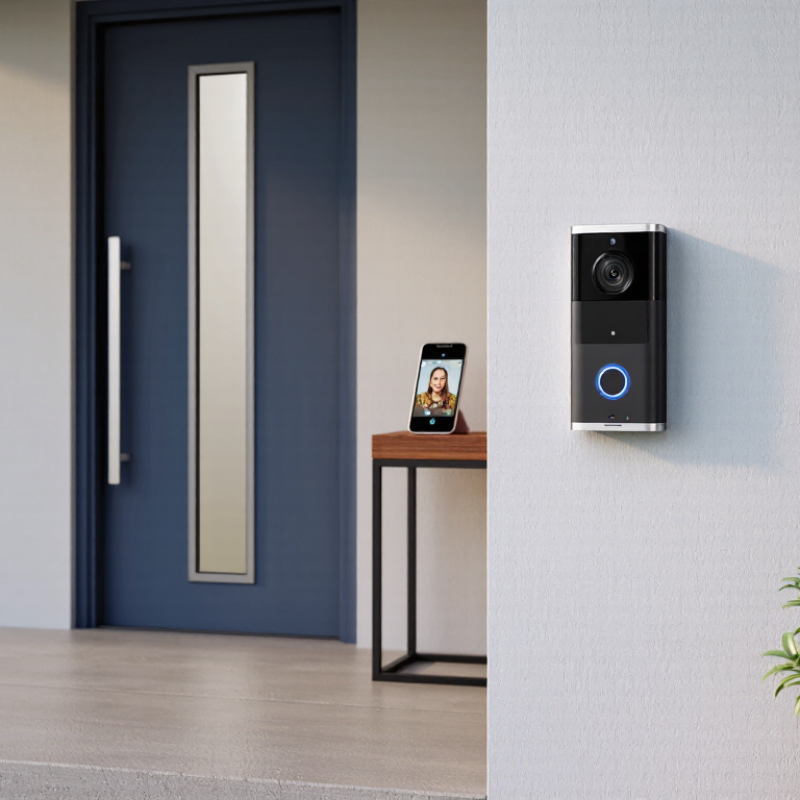
A Bluetooth doorbell camera can work without Wi-Fi, but its functions are usually limited. Bluetooth connects the doorbell to a nearby phone or indoor hub, often for initial setup, alerts, or short-range control. It is not a substitute for a home internet connection. Standard Bluetooth links are designed for nearby devices, and walls can reduce their practical range. The doorbell may still detect motion and ring locally, but remote viewing and cloud notifications generally will not work.
The Bluetooth SIG’s 2024 Market Update reports that 5.4 billion Bluetooth devices shipped in 2023. That scale reflects Bluetooth’s role in connecting nearby devices, not its ability to carry continuous video. A camera needs a separate method to store or transmit footage. Some models record to built-in memory or a removable card; others use a local hub. Check the device specifications carefully: “Bluetooth compatible” may describe setup or alerts rather than video streaming. That distinction is easy to miss.
Without Wi-Fi, expect to check footage in person, within the camera’s supported Bluetooth range, and only if the model offers local playback. A concrete test helps: stand where you would normally answer the door, close the front door, and try viewing a clip from your phone. Thick walls may interrupt the connection. Battery life can also change when motion recording runs often. Convenient, but limited. If the doorbell has no local storage or hub, Bluetooth alone may not preserve video when the phone is out of range.
Pair the Doorbell Camera With Your Phone via Bluetooth
A Bluetooth doorbell camera can pair with a phone even when no WiFi network is available. Charge the camera, install its companion app, and enable Bluetooth on your phone. Stand close to the doorbell, then follow the app’s pairing instructions. The app may ask you to press a setup button or scan a code on the device. Keep the phone screen awake during setup. If the camera does not appear, check Bluetooth permissions and restart both devices before trying again.
Tips: Pair it near the door. Keep the battery charged. Check the manual for model-specific steps.
Bluetooth pairing does not automatically provide internet access. Without WiFi, live viewing, cloud storage, and alerts while you are away may be unavailable. Some cameras save clips locally, but storage options differ. It is easy to assume pairing enables every feature; that assumption can lead to disappointment. Test the doorbell from nearby and review its offline features before relying on it. Keep the app updated, and avoid sharing pairing access with people you do not trust.
Set Up Recording, Motion Detection, and Local Alerts
A Bluetooth doorbell camera can record without WiFi if it has local storage, such as a microSD card, or a compatible offline hub. Check the manual before setup; some cameras need internet access for initial activation. Insert the card, format it in the camera’s settings, and choose continuous or event-based recording. Event clips save space, but may miss the first moment of movement.
Set the motion zone around the path to your door, not the busy street. Walk past the camera at different distances and review the clips. Adjust sensitivity if tree shadows trigger alerts. Keep expectations modest. Bluetooth works best nearby, and walls can weaken the connection. Pair the camera with your phone, allow app notifications, and keep the phone within range for local alerts. No internet means no dependable alerts when you are away.
The Bluetooth SIG’s 2024 Market Update projects 5.4 billion Bluetooth device shipments annually by 2028, across many product types—not doorbells alone. For stored footage, use a strong device passcode and check whether recordings are encrypted. IBM’s 2024 Cost of a Data Breach report put the global average breach cost at $4.88 million; that figure covers organizations, not household cameras, but it underlines why access controls matter. Test the setup with your router unplugged. The result may be less seamless than expected.
View Stored Footage and Understand Bluetooth Range Limits
Without WiFi, a Bluetooth doorbell camera may still save motion clips locally, but its behavior depends on the model. Some store footage on a memory card; others keep only a limited number of events in internal storage. Check the device settings before relying on recordings. A full card, low battery, or disabled motion detection can leave gaps. It happens.
To review stored footage, stand near the doorbell with your phone and open its companion app. Bluetooth usually supports a nearby connection, not viewing from work or across town. A clear, open path may allow a longer connection, while brick walls, metal doors, and nearby electronics can shorten it. Even a few rooms can make the signal unreliable. Keep your phone close, and wait for clips to load before moving away. The exact range varies, so test it at home rather than trusting a number on a package.
Bluetooth range is not the same as camera coverage. The camera may detect someone outside while your phone is too far away to retrieve the clip. If you need remote alerts or live viewing, those features generally require an internet connection. Without WiFi, review recordings regularly and check available storage. I would not assume every motion event was saved; testing with a short walk past the door can reveal missed clips.