Choosing a Smart Wifi Security Doorbell is not simply a matter of picking the sharpest camera. It is about protecting an entryway under real conditions: bright afternoon glare, heavy rain, weak signals, and a delivery person standing outside at night. A useful model should provide clear video, responsive alerts, strong account protection, and dependable storage options. It should also fit your home’s wiring, mounting surface, and daily routines.
Security technologist Bruce Schneier offers a useful reminder: “Security is a process, not a product.” That principle applies directly to every Smart Wifi Security Doorbell purchase. A doorbell may record a visitor, but poor passwords, outdated firmware, or an unstable router can weaken the entire setup. Look closely. Test the viewing angle. Check whether faces remain visible near the frame’s edges. Ask how quickly notifications arrive when someone approaches the porch.
Convenience matters too. Battery models suit renters and older homes, while wired models may deliver steadier operation. Privacy settings deserve equal attention, especially when cameras face sidewalks or shared spaces. Read the manufacturer’s data policy. Avoid assuming that expensive means safer. It does not.
Some choices remain imperfect. No camera sees everything. No alert arrives every time. Still, careful comparison can reduce unpleasant surprises. These ten buying tips examine the details that specifications often hide, helping you choose a Smart Wifi Security Doorbell with clearer expectations and stronger everyday reliability.
10 Smart WiFi Security Doorbell Buying Tips
Define Your Security Goals and Doorbell Monitoring Needs
Begin by identifying the real risk outside your door. The FBI recorded 847,522 burglary offenses in the United States in 2022. That figure supports caution, but it does not make every home equally vulnerable. Check whether you need package monitoring, visitor identification, nighttime visibility, or evidence after an incident. A wide viewing angle may help with a side path, while motion zones can reduce alerts from passing traffic. Details matter.
Tip: Write down three likely events before comparing doorbells. For example, a delivery may arrive at noon, but suspicious movement may occur after midnight. Decide whether you need live viewing, two-way audio, continuous recording, or event-based clips. Do not pay for features you will rarely use. That mistake is common.
Privacy and reliability should shape the purchase. The National Institute of Standards and Technology recommends strong authentication, secure updates, and careful data protection for connected devices in NISTIR 8259. Choose a model with account protection, encrypted connections, adjustable privacy zones, and a clear retention policy. Test your WiFi signal at the doorway, not beside the router. A perfect specification means little when video freezes outside. I would also question cloud-only storage, because internet outages can interrupt monitoring. No system is flawless. A doorbell should support your security plan, not replace lighting, locked doors, or sensible routines.
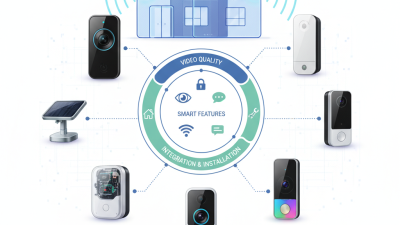
A smart WiFi doorbell should show more than a sharp face at the doorstep.
Omdia’s 2024 Video Surveillance and Analytics Report identifies 4MP and higher network cameras as a growing market direction. That matters when a visitor stands several meters away. Compare real samples, not marketing labels. A 2K image may look detailed in daylight but soften after compression. Check whether the camera keeps facial features clear near the frame edges.
Viewing angle needs careful judgment. A 160-degree lens covers a wider porch, but strong barrel distortion can bend doorframes and stretch faces. The UK Home Office CCTV Operational Requirements Manual recommends assessing identification at the intended distance, not relying only on coverage claims.
Place a tape mark about two meters from the door. Then inspect a sample face at the side, center, and lower edge. Small experiment. It reveals more than specifications.
Night vision deserves separate testing.
Look for usable detail under near-zero light, not merely a bright black-and-white picture. Infrared LEDs around 850 nanometers usually provide stronger illumination, while 940-nanometer infrared is less visible but often weaker. Omdia’s 2024 report also notes the continuing shift toward analytics in network cameras, yet algorithms can misread faces during glare, rain, or motion.
I once favored maximum brightness and missed a reflective license plate effect. That choice needs reconsideration. Check night footage through glass, in rain, and with porch lights switched on.
A smart doorbell is only useful when its WiFi connection remains stable. Check whether it supports your router’s available bands, such as 2.4 GHz or 5 GHz. The 2.4 GHz band usually travels farther through walls. The 5 GHz band can provide faster communication nearby. Measure the signal beside your front door, not in the living room. A weak connection may cause delayed alerts, frozen video, or missed visitors. Concrete walls and metal frames can reduce performance more than expected. I once tested a device near a router and assumed the result represented the whole house. It did not.
Power planning deserves equal attention. Wired models need compatible voltage, safe wiring, and enough space behind the mounting plate. Turn off electrical power before examining existing cables. Battery models simplify installation, but cold weather, frequent motion alerts, and live viewing can shorten runtime. Check charging intervals and battery replacement procedures before purchasing. Solar assistance may help, but shade can make it unreliable.
Installation requirements can change the total effort. Confirm the doorbell’s mounting angle, viewing height, and clearance from the door swing. Some entrances need a wedge bracket to show faces clearly. Your WiFi router may also need repositioning or a mesh access point. That adds cost and setup time. Read the installation guide carefully, even if the process looks simple. My own mistake was ignoring the drill template, which left uneven holes and a slightly tilted view. Small details matter.
A smart WiFi doorbell should do more than show a face at the gate. Test motion zones, package detection, two-way audio, and low-light video before buying. During setup, check whether alerts arrive quickly on both WiFi and mobile data. Delays matter.
Privacy controls deserve equal attention. Look for local storage options, adjustable recording areas, microphone controls, and clear deletion settings. The 2024 Data Breach Investigations Report found that human involvement appeared in 68% of breaches. Use unique passwords and multi-factor authentication. The 2024 Cost of a Data Breach Report placed the global average breach cost at 4.88 million dollars, although that figure does not measure doorbell incidents. Still, it shows why account security is not a minor feature.
Tips:
Confirm app compatibility with your phone’s operating system before purchase. Check whether key functions require a subscription. Read the privacy policy, not only the product page. Test your router’s signal beside the entrance. A strong signal indoors may weaken near concrete walls. I would also compare guest access controls, because shared accounts can become messy. Some features may look impressive but remain unreliable during rain, darkness, or crowded street activity. That limitation is easy to miss.
10 Smart WiFi Security Doorbell Buying Tips
A WiFi doorbell is more than a camera beside your entrance. Its real cost appears after installation. Check whether video storage is free, limited, or subscription-based. Monthly fees can quietly exceed the device price within two years. Ask how long recordings remain available and whether downloading clips costs extra. Some plans include smart alerts, while basic access may only show live video. Read cancellation terms carefully.
Tip: Calculate three years of storage fees before buying.
Durability matters when the doorbell faces rain, dust, summer heat, and winter frost. Look for clear weather-resistance information, not vague claims. A strong housing should protect the lens and charging port. Test the viewing angle near your actual doorway. A narrow angle may miss packages placed below the camera. I once underestimated this detail, and the lower doorstep became a blind spot.
Tip: Check night footage before trusting the specifications.
Reliable support can prevent a small fault from becoming an expensive replacement. Review warranty length, repair options, and response channels. Look for manuals with practical troubleshooting steps. Confirm whether software updates continue after purchase. A low-priced doorbell may become costly if its battery fails early or support disappears. Keep installation time in your ownership calculation. You may need a stronger router, new wiring, or professional assistance. These costs are easy to overlook. They should not be.